Tours turn into enrollments
A family that can watch their child’s room and read the day as it happens chooses you over the center that sends a photo at pickup. Enrollment requests, waitlist and contracts run in the same place.
For preschools, daycares and multi-site centers
Live classroom video, a daily photo and video feed, billing, enrollment, attendance, curriculum and staff records — for families and for the people who run the center, in one system. Fully bilingual. Native iOS and Android apps.
Sunflower Room · Camera 2
Mia painted a sunflower 🌻
Software is only worth it if the day gets easier and the numbers get better. These are the four places centers feel it.
A family that can watch their child’s room and read the day as it happens chooses you over the center that sends a photo at pickup. Enrollment requests, waitlist and contracts run in the same place.
Invoices, autopay, statements and subsidy tracking sit inside the app the family already opens every day, so paying is one tap rather than one more errand.
Attendance, ratios, approvals and balances are calculated when you open the app. There is no report to run and no spreadsheet to reconcile.
Live video, a real daily record and a parent community are what families talk about to other families. Retention and word of mouth are the cheapest growth you will ever buy.
Inside the product
Screens from a working centre: what a family sees, what a teacher does on the floor, what happens at the front door, and what a director opens first. The school is invented; the software is exactly what you would get.
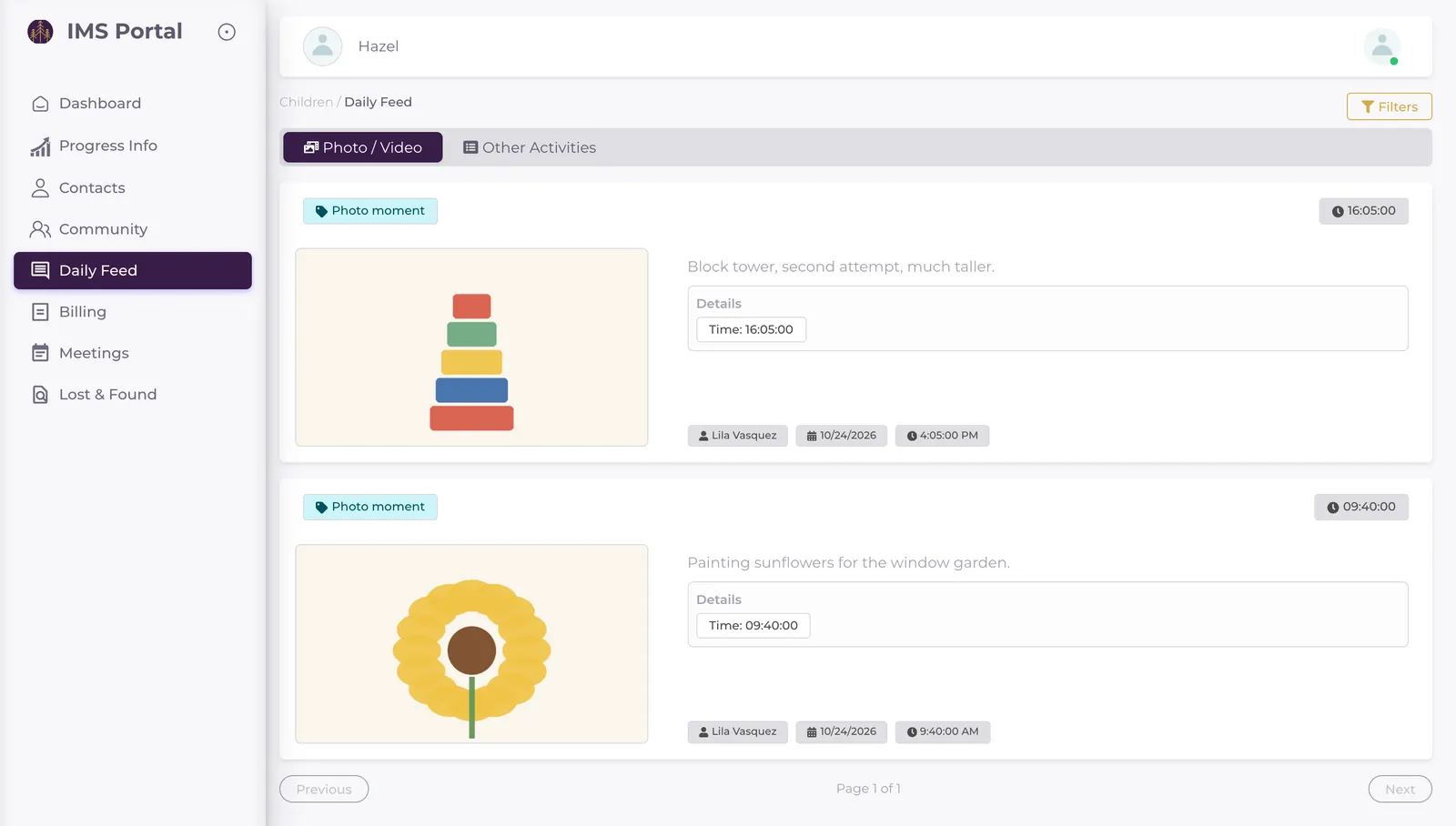
What families see
Teachers log photo moments, meals, naps and changes from the room itself, one-handed, while it is happening. Each entry reaches that child’s family within seconds, stamped with who recorded it and when. Families stop asking how the day went, because they already know.
What teachers do
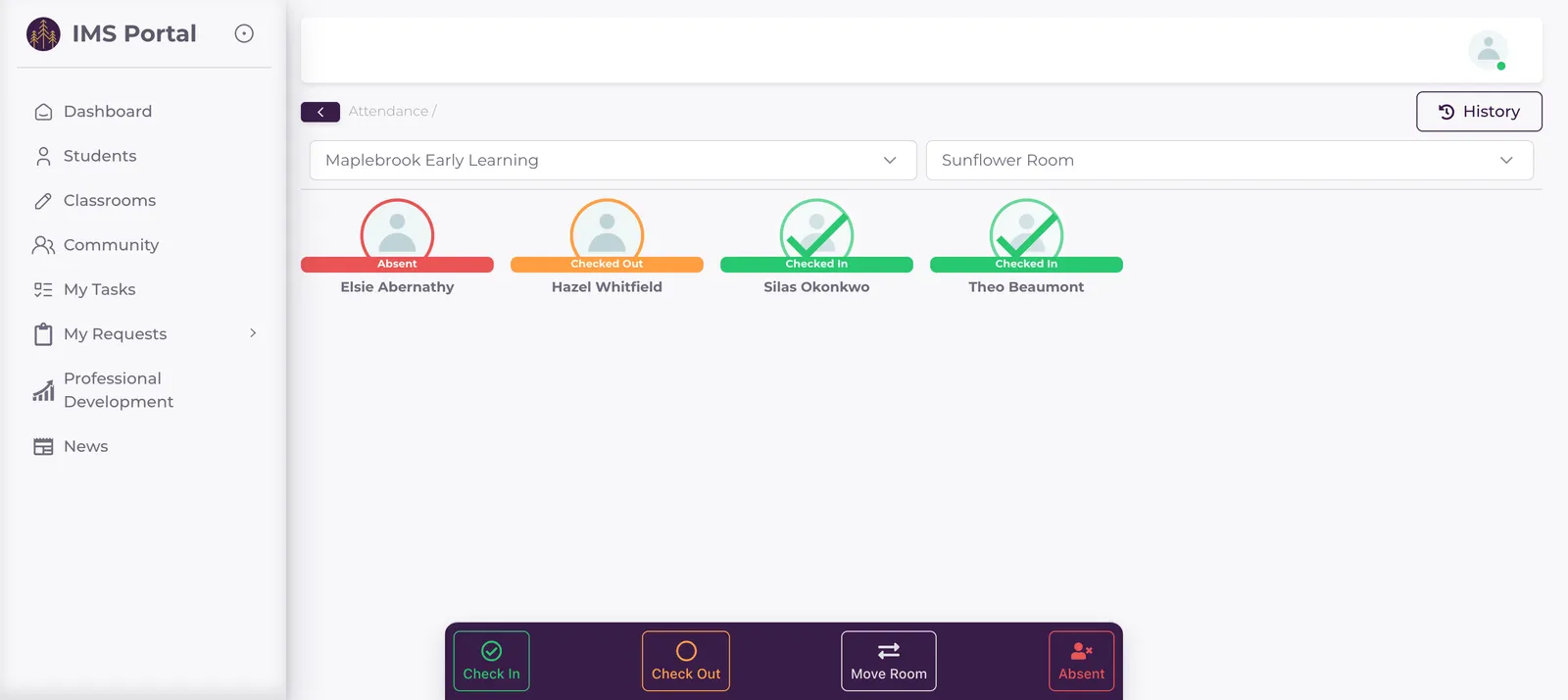
Every child in the room carries a live status — checked in, checked out, absent with a reason, or moved to another room — and it changes the moment someone taps a kiosk or a teacher marks it. Pick several children and check them in, out, absent or into another room in one action. The office, the room lead and the director are all reading the same board, so nobody has to walk down a corridor to find out a count.
At the front door
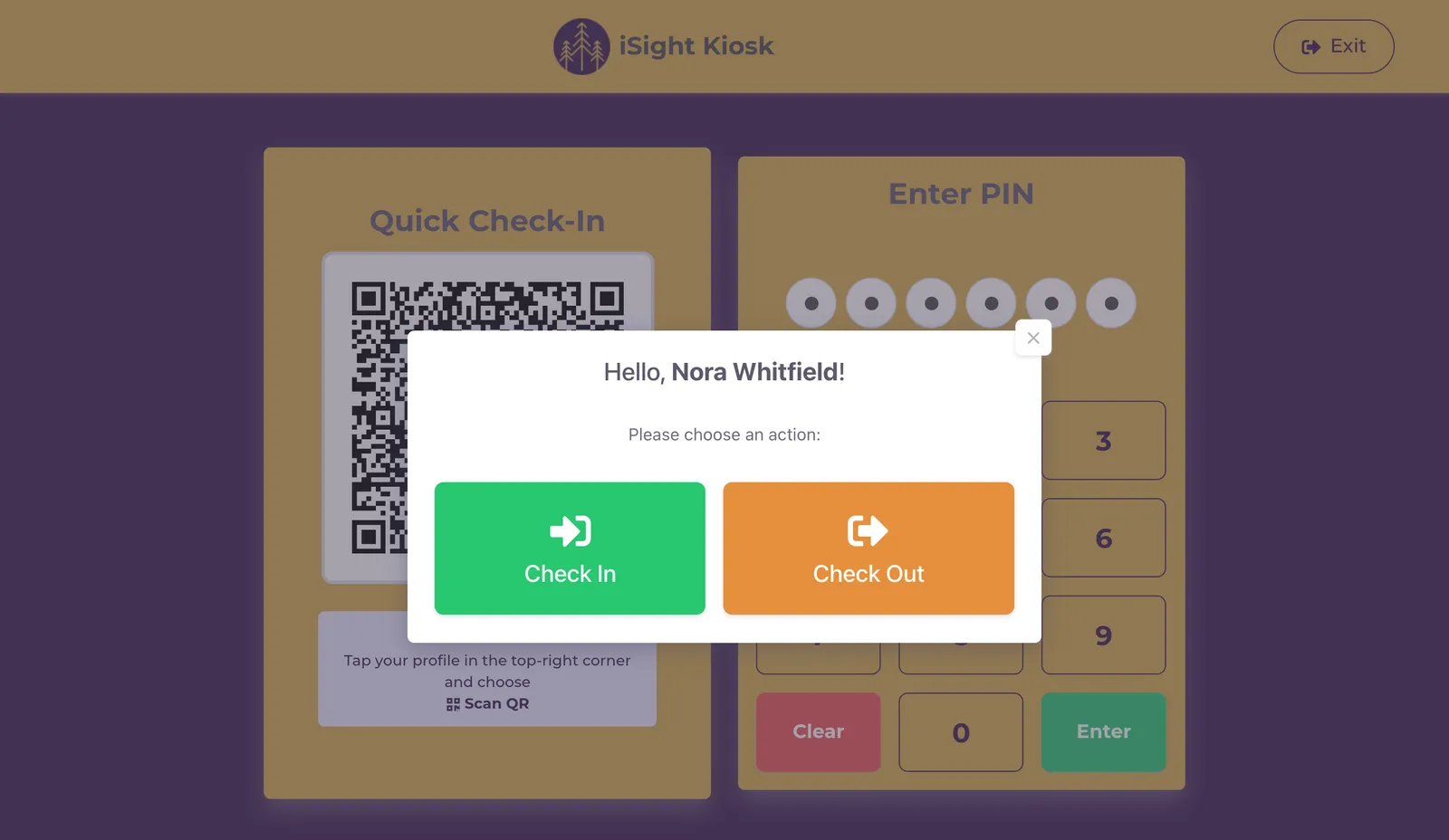
A tablet by the door runs in kiosk mode: it locks to this screen, so nobody can wander into the rest of the system. A parent taps their PIN — or scans the code from their own app — and chooses check in or check out. The roster, the room count and the ratio all move the moment they do.
At the front door
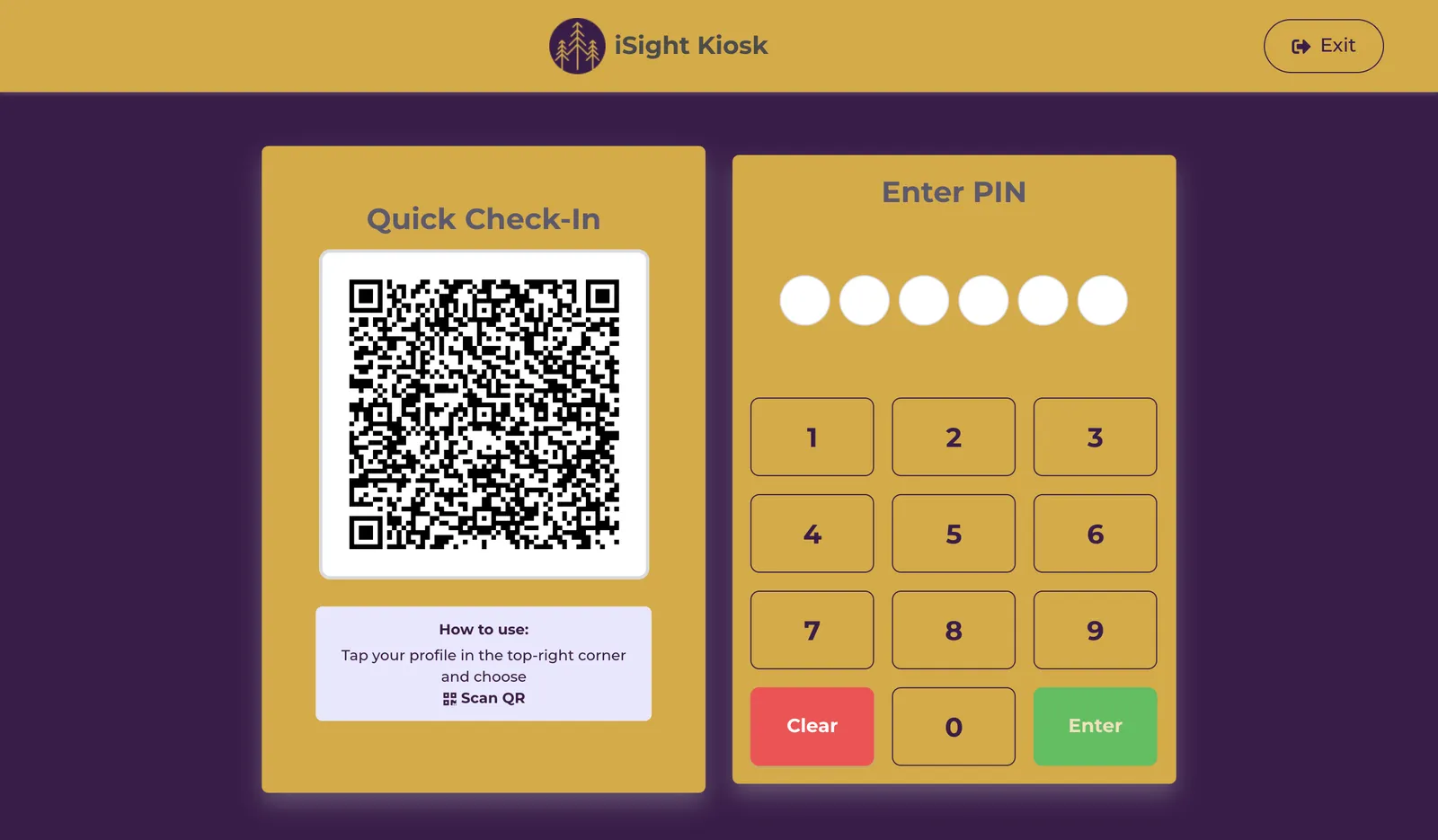
Between arrivals the tablet shows the PIN pad and a rotating code. Families who would rather not type scan it from the app instead. Either way the person signing a child in is identified, which is the part a paper sheet by the door never does.
Paying the team
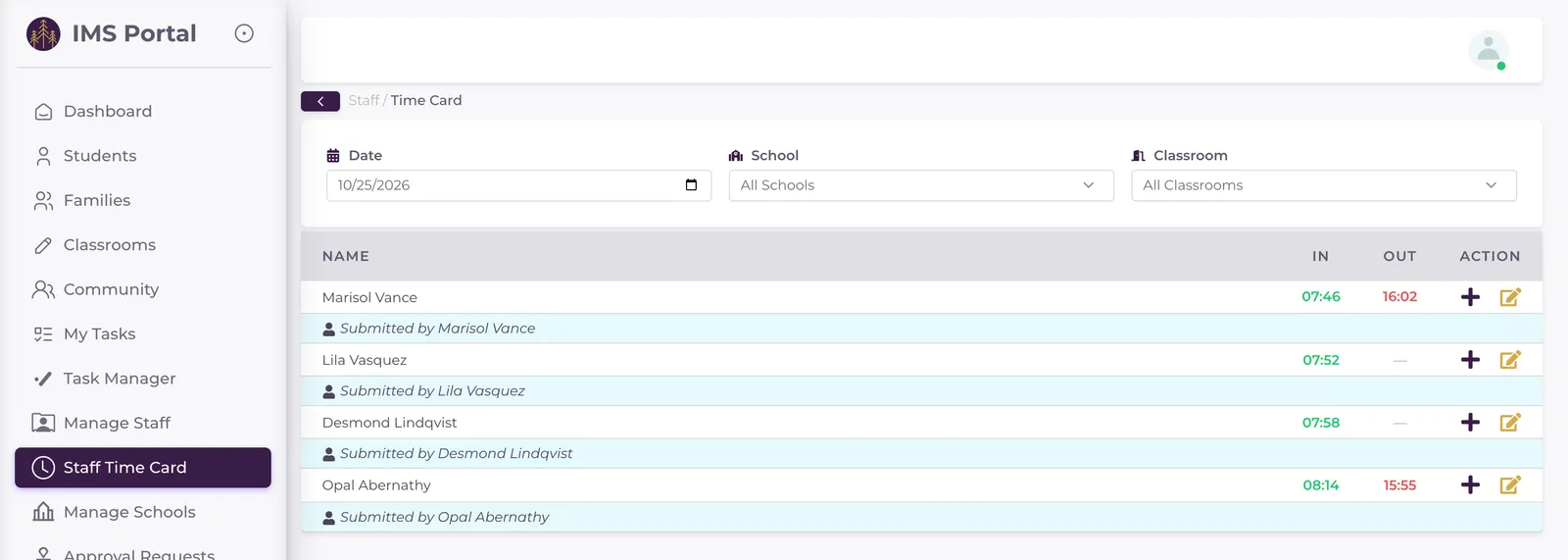
Staff clock in and out on the same device the families use, and the day lands on one card: who was in, at what minute, and who is still on the floor. Every punch carries who submitted it, and a missed one is corrected in place rather than reconstructed from memory at the end of the fortnight. The hours that reach payroll are the hours that were worked.
Keeping the team
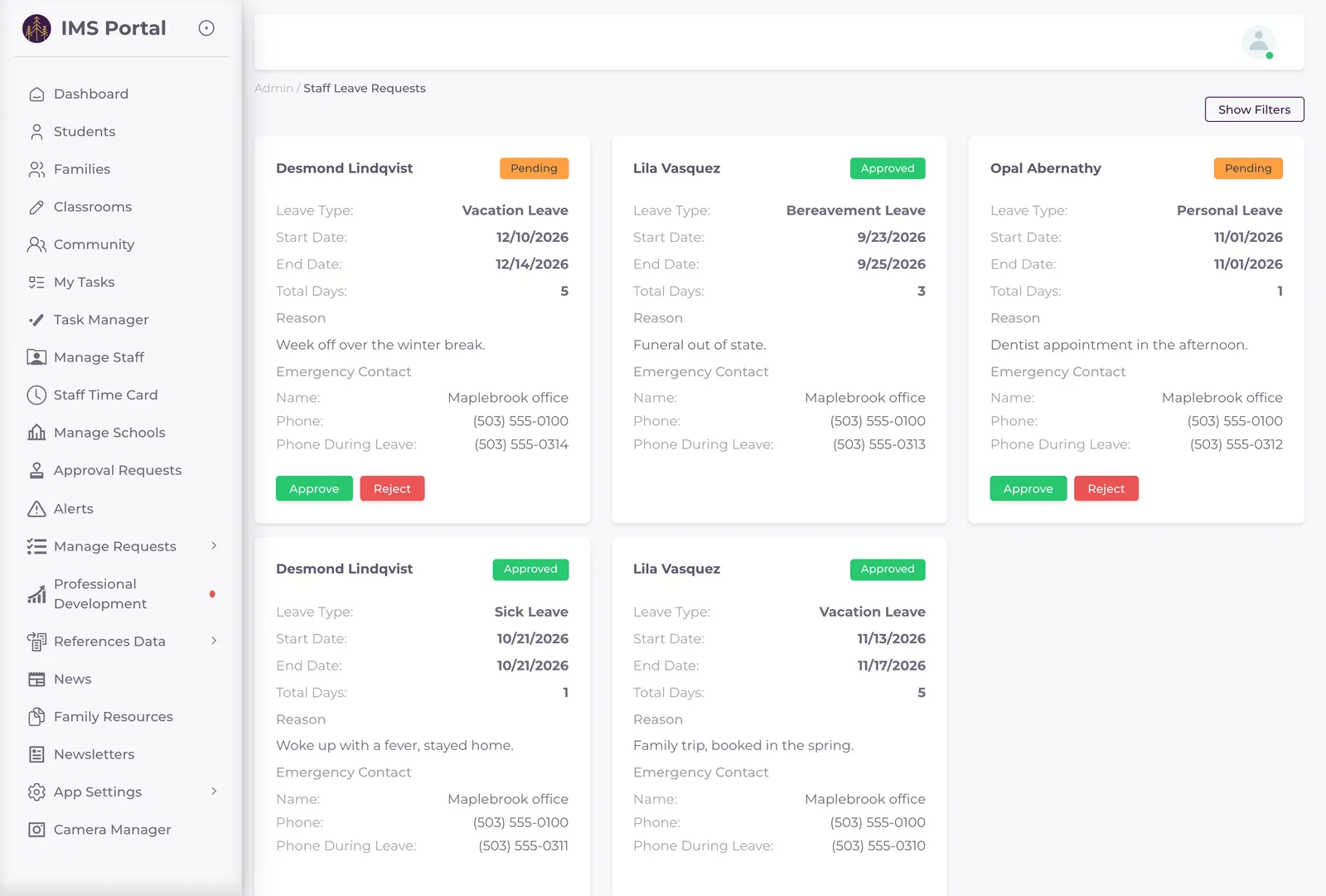
Sick days, vacation, bereavement and personal leave arrive in one queue with the dates, the reason and a contact number, and get approved or declined from the card. PTO balances are tracked per person per year, so approving a week off checks against what they actually have left instead of someone’s memory.
Staying licensed
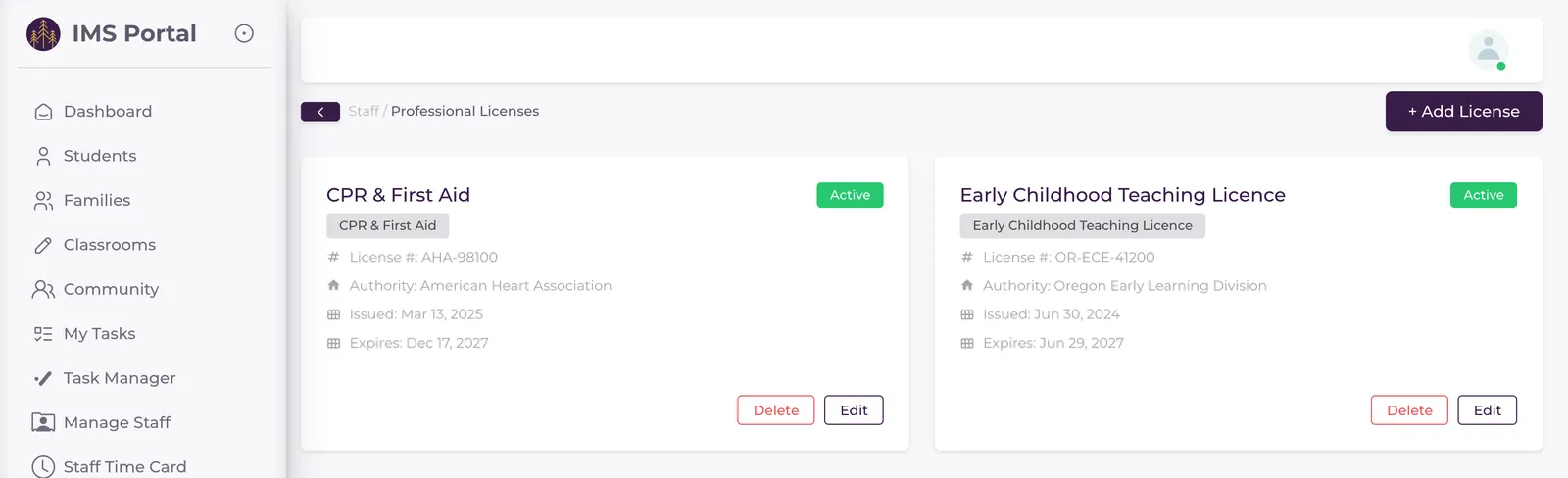
Teaching licences, CPR and first aid, food handler cards — each with its number, issuing authority and expiry date, held against the person rather than in a folder. The dates are in the system, so a lapsing certification is visible before a licensing visit finds it.
What directors open first
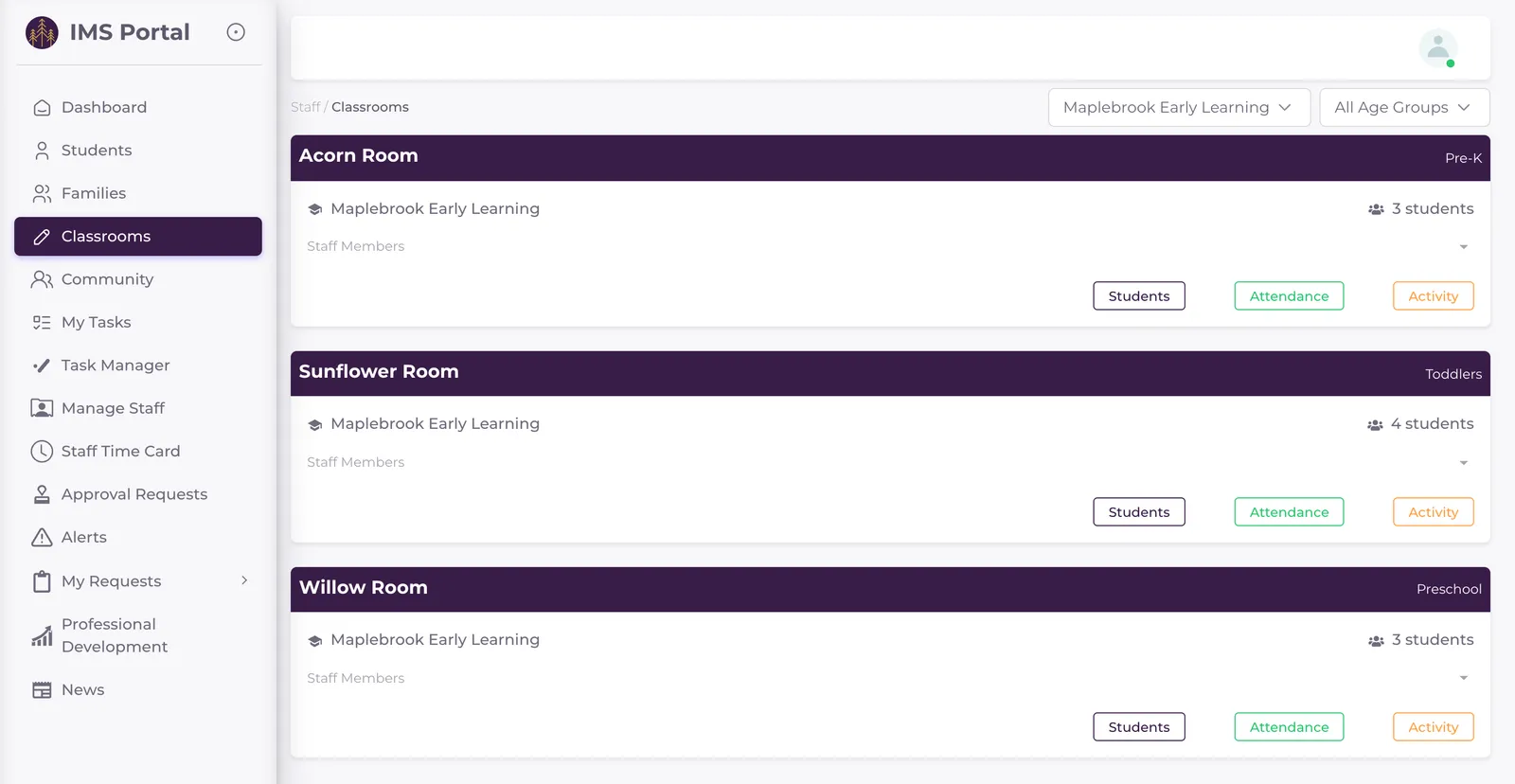
A director sees each classroom, its age group and how many children are in it, with attendance and the day’s activity one tap away. Multi-site organisations switch campus from the same menu. There is no report to run first.
Screenshots of the live product. The centre, the families and the staff in them are invented for this page — no real child, family or employee appears anywhere on this site.
On the phone
One Kotlin Multiplatform app — a single codebase compiled to a real iOS app and a real Android app, not a web page in a wrapper. It opens fast, sends proper push notifications, and the two platforms never drift apart because there is only one of them to maintain. The first three screens below are what a family sees; the last three are the same app signed in as staff.
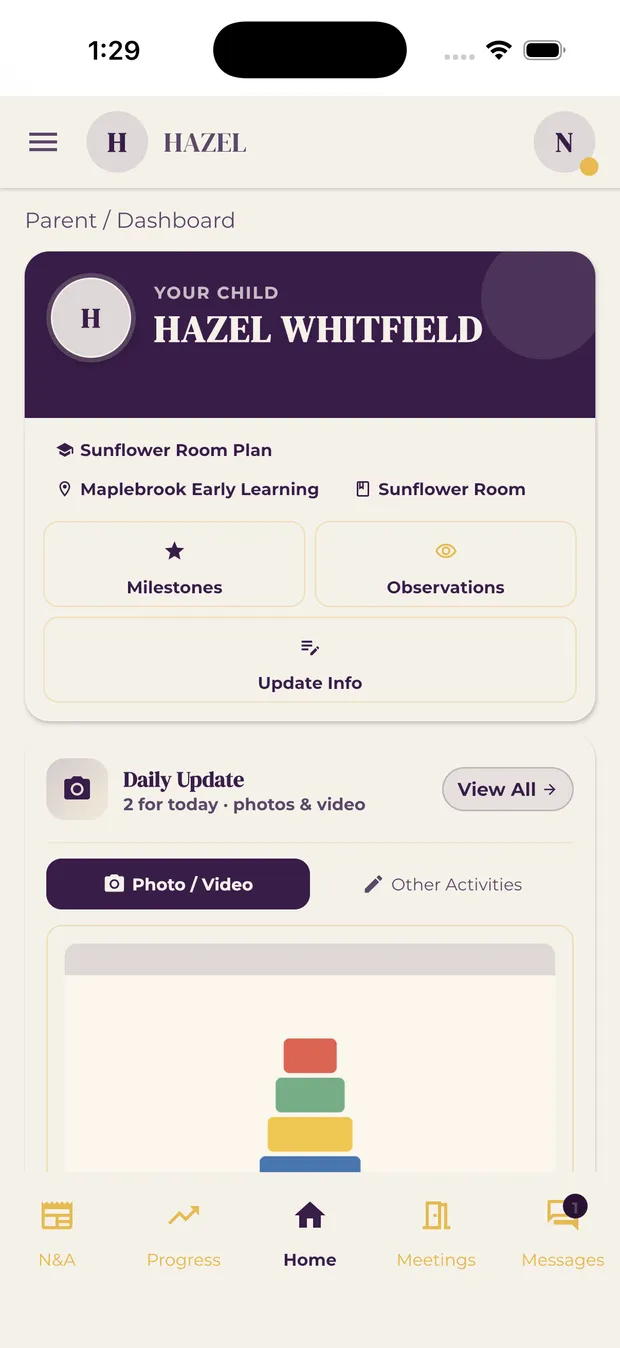
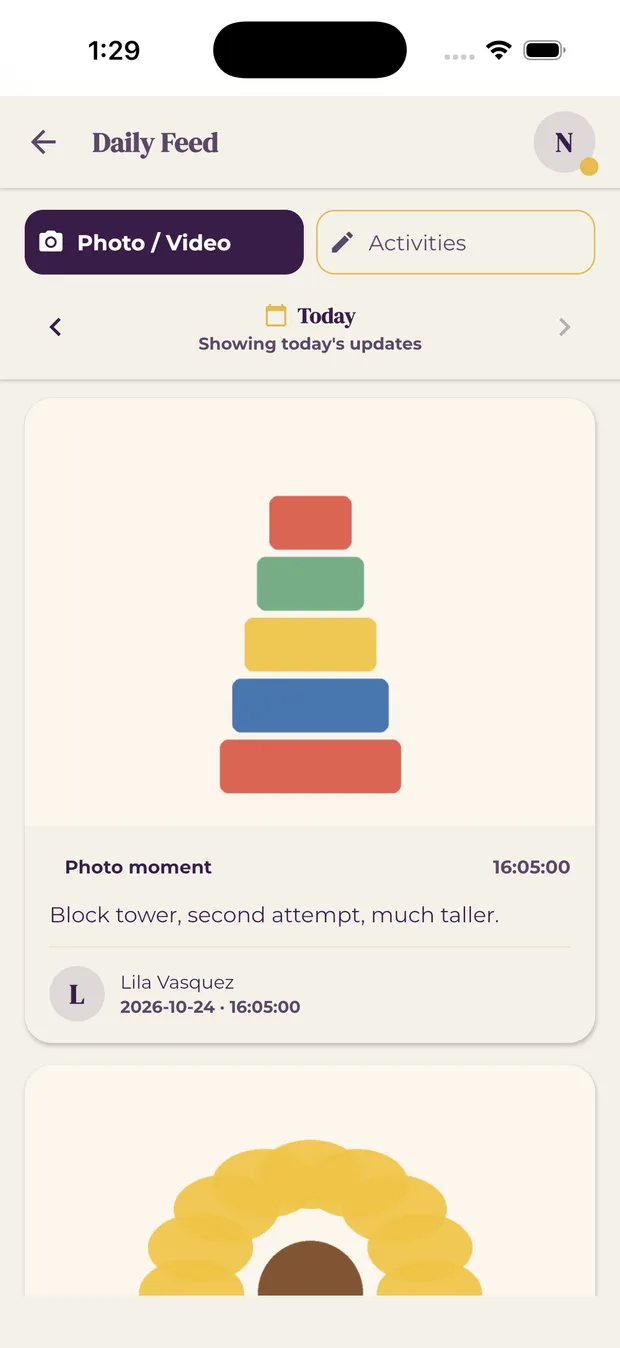
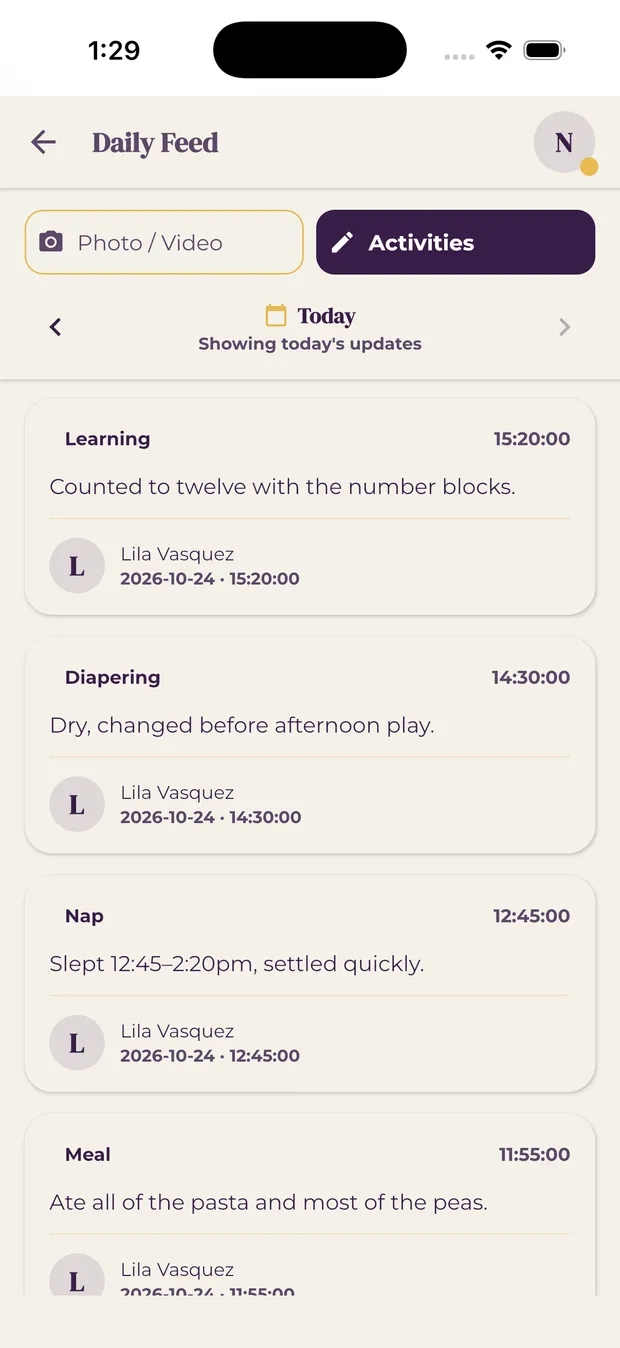
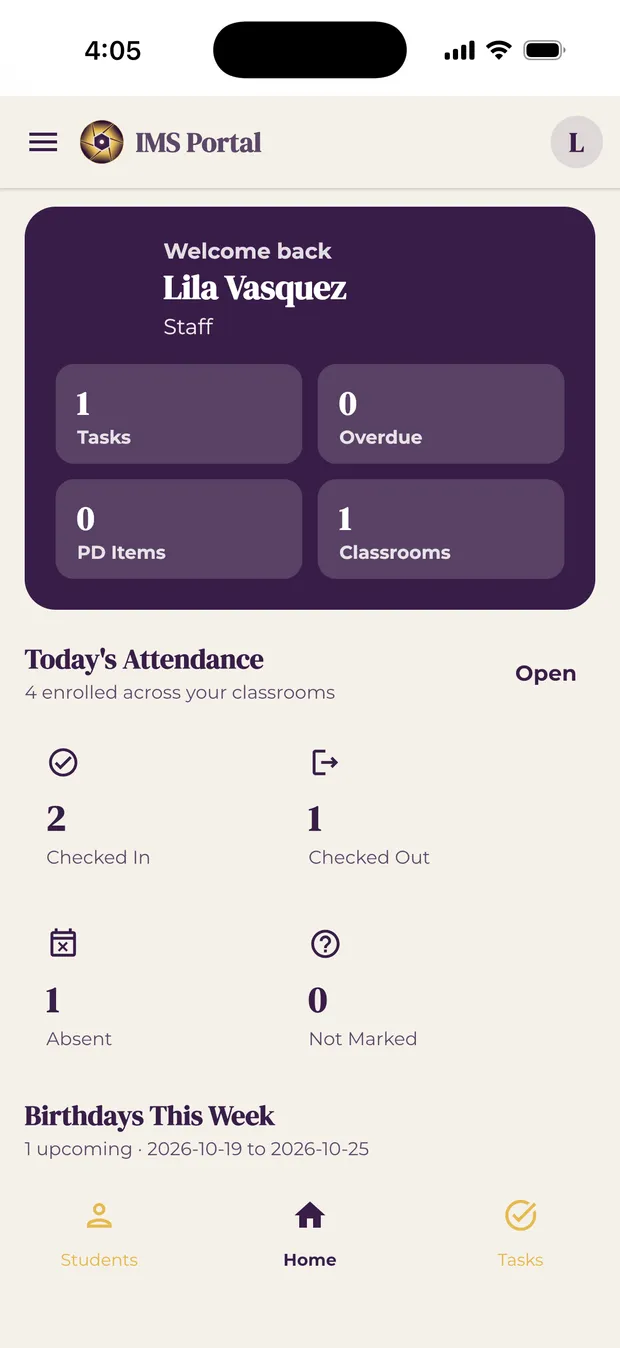
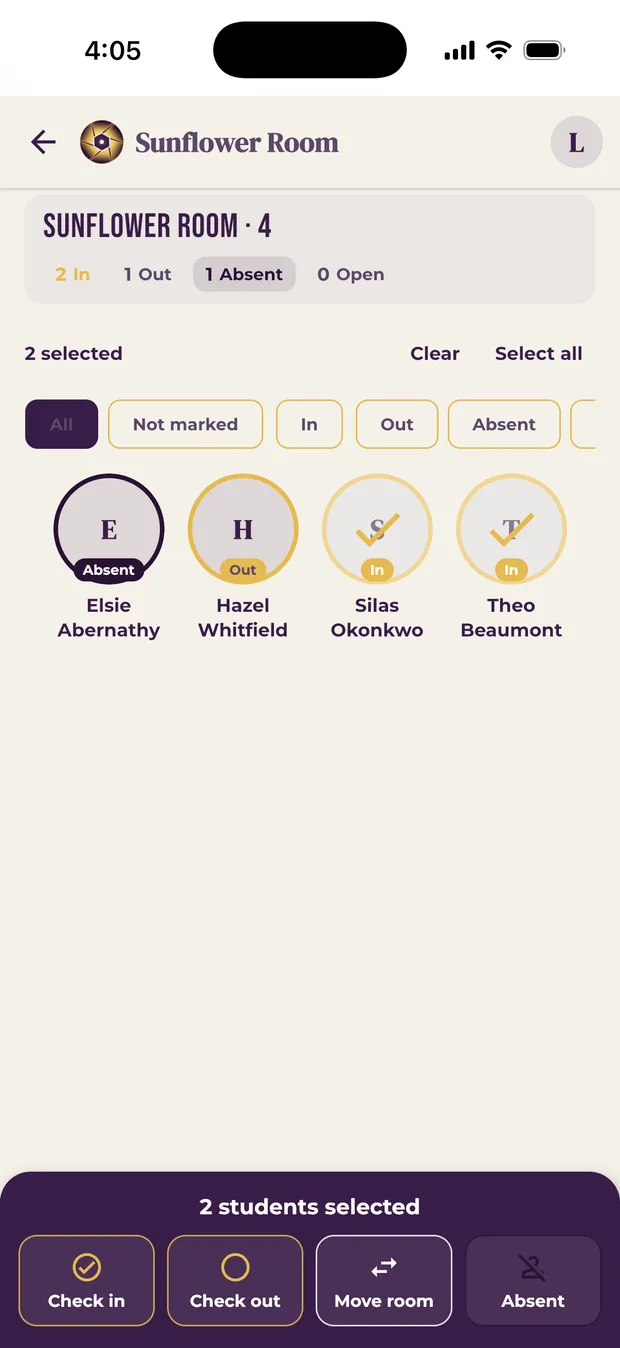
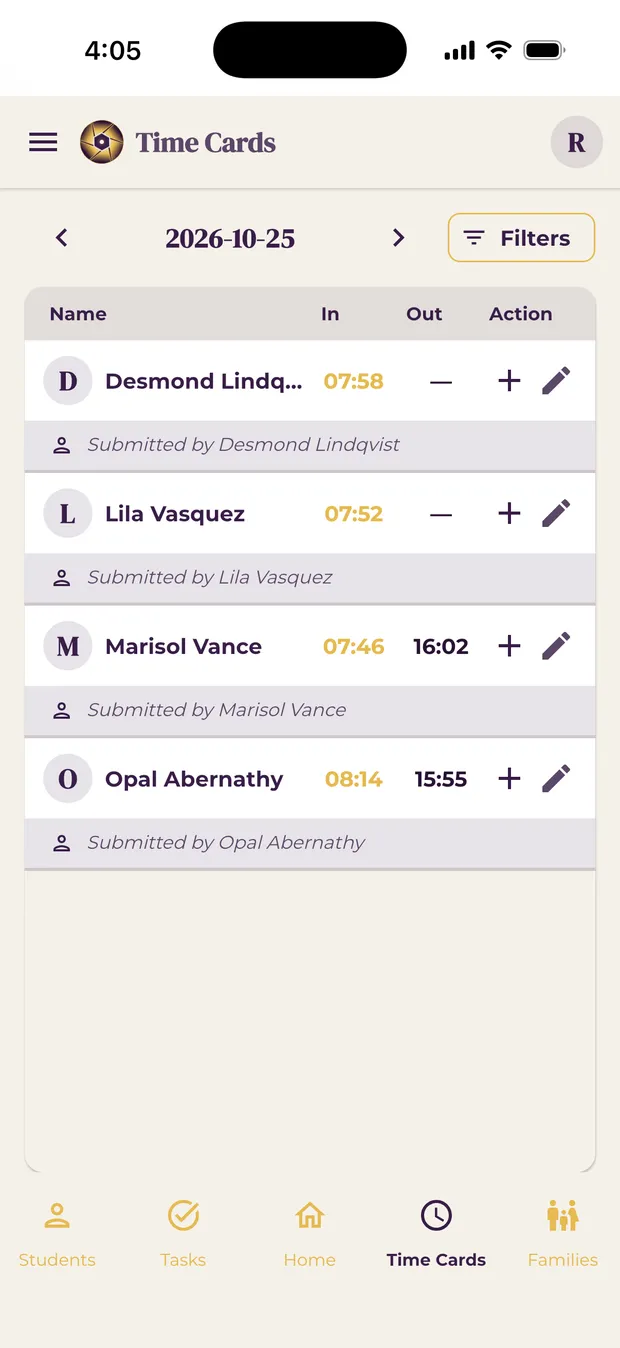
Captured from the iOS build in the simulator. Android runs the same Compose Multiplatform interface from the same codebase, so the screens are the ones Android users see too.
Not a clip from three hours ago — a real-time look into the room, with per-classroom controls the director keeps.
Families and staff in a single system. No second app, no duplicate data, one version of every child’s record.
Billing, enrollment, attendance, ratios, curriculum, staff licences and time — not a chat box with reporting bolted on.
Bottles, naps, diapering and milestones are first-class ideas here, because this was never a K-12 product wearing a new label.
Every screen, message, form and notification in English and Spanish. Families read in the language they live in.
Real iOS and Android apps that open fast, send proper push notifications and stay on the home screen.
Thirteen areas, one login. Open any of them to see exactly what is included.
Parents look in. Not a photo from three hours ago.
Learn moreThe whole day, written as it happens.
Learn moreWho is here, in which room, right now.
Learn moreStop chasing tuition.
Learn moreFrom first enquiry to signed contract.
Learn moreShow families the learning, not just the lunch.
Learn moreOne thread per family. Not a group text.
Learn moreThe parent network, inside your walls.
Learn moreYour licence depends on these records.
Learn moreYour whole center on one screen.
Learn moreAsk your center a question.
Learn moreSeveral centers, one account.
Learn moreThe paperwork, without the paper.
Learn moreMade for the family, and for the people who run the center.
We read our competitors’ own public product pages, wrote down what they say, and dated it. Check our work.
Both cover billing, attendance, messaging and learning. The difference is live classroom video, a fully bilingual family experience, and one portal instead of separate family and staff products.
Learn moreProcare is a deep, long-established operations and accounting system. My Insight App is built mobile-first around the family experience, with live classroom video and full Spanish.
Learn moreLillio leads with curriculum and educator professional development. My Insight App matches the family experience and adds live video, full center operations and Spanish throughout.
Learn moreA childcare management platform for preschools, daycares and multi-site early-childhood organisations. It covers live classroom video, the daily feed, billing, enrollment, attendance and ratios, curriculum, messaging, community groups, staff records and multi-site administration, for families and staff in one system, in English and Spanish.
Pricing depends on how many children you have enrolled, how many locations you run, whether you want live video, and what needs migrating. We give you a written quote for your exact configuration after a demo. None of our named competitors publish center pricing either.
Yes. Cameras are mapped to classrooms and families can open a live stream of the room their own child is enrolled in. Directors control which rooms stream and can switch a room off instantly.
No. The center holds the subscription. Family accounts are unlimited and free, including both parents and authorised pickups.
The whole product is built in English and Spanish — screens, notifications, forms, newsletters and the daily feed. A family sets their language and stays in it.
Book a 20-minute walkthrough — live cameras, the family app and the director dashboard, using your own rooms and age groups as the example.